
 86 13392660243
 hope17@cnhopestar.com
 whatsapp
Dual-Screen POS for European Projects: From Product Selection to Project Configuration
 2026-09-21
 cnhopestar
Choosing a POS terminal for a European project is rarely just a matter of comparing product specifications. Buyers may need to evaluate the terminal together with displays, peripherals, connectivity, software requirements, customization, and deployment conditions.The more these requirements need to work together, the more important the overall hardware configuration becomes.
For buyers searching for a dual screen POS EU configuration, the real question is not simply which terminal has two screens. It is whether the supplier can start from a suitable dual-screen POS terminal, configure the required peripherals and connectivity, adapt the hardware or software where necessary, and support the project from sample testing through production.
This distinction matters for system integrators, retail equipment distributors, and project procurement teams. Instead of sourcing every component independently, buyers can evaluate whether one supplier can provide the POS platform, configuration support, customization, and production services required for the complete deployment.
Why POS Projects Need More Than a Standard Product
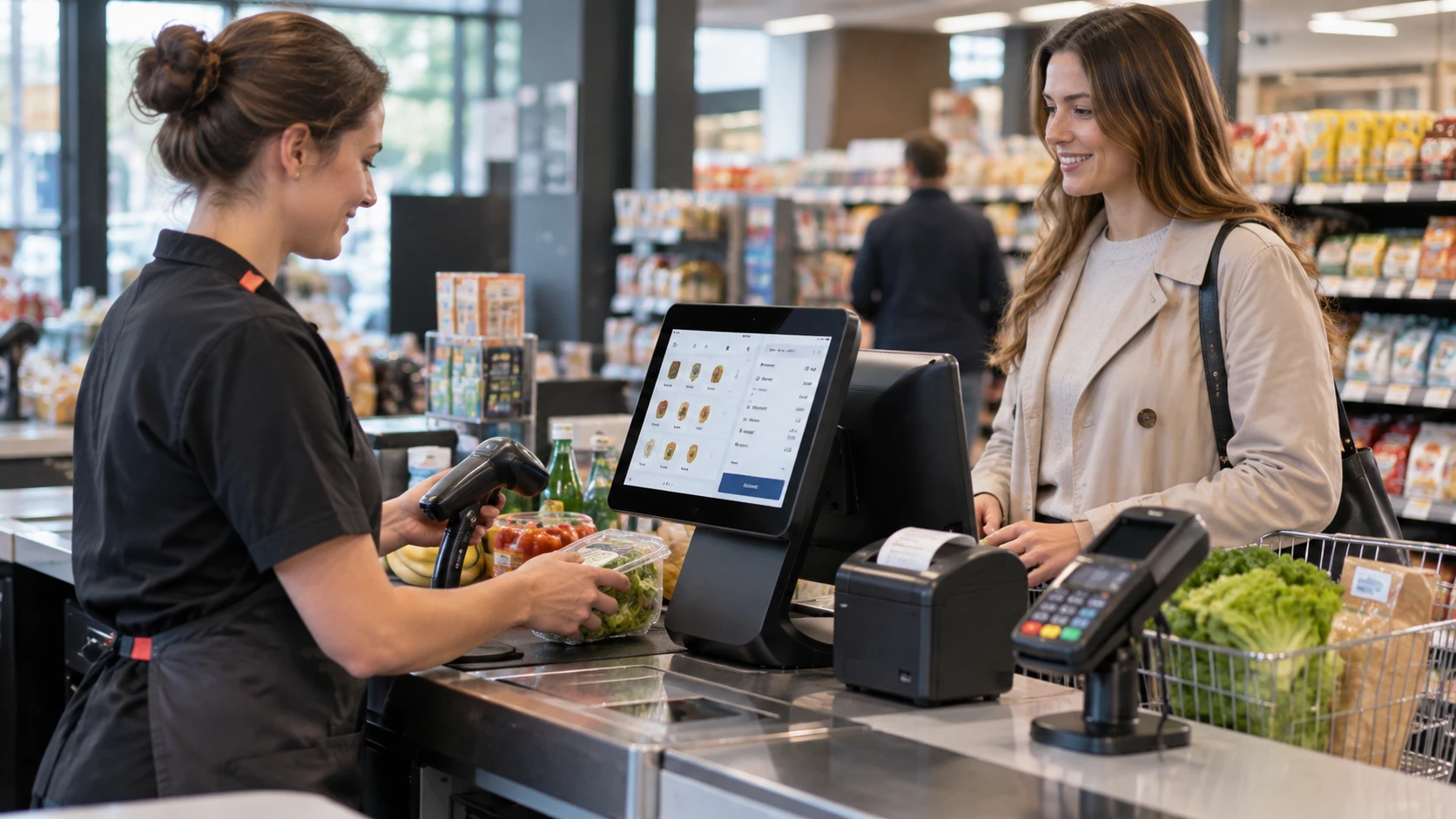
The common approach to POS sourcing is to treat the terminal, printer, cash drawer, scanner, and customer display as separate purchasing items. That works when a buyer already has a proven hardware configuration and only needs to replenish existing equipment. It becomes more complicated when a new project requires the components to operate as one defined system.
A buyer may need to determine which display size is appropriate, whether the second screen is integrated or externally connected, how the printer is connected, whether the cash drawer interface is available, and whether the POS hardware can accommodate the required software and network configuration. The more components involved, the more important the relationship between them becomes.
Hopestar's POS range provides several starting platforms rather than forcing every project into one standard configuration. The portfolio includes single-screen terminals, dual-screen systems, keyboard-integrated POS machines, built-in printer models, and weighing POS systems. This allows the starting hardware to be matched to the application before project-specific requirements are added.
For example, the 15.6-Inch Dual Screen All-in-One POS Terminal Cash Register System uses a 15.6-inch capacitive main display with a 13.3-inch secondary display. Its hardware platform includes an Intel i3 processor, 4GB memory, 64GB storage, six USB ports, a serial port, LAN, audio interfaces, and VGA.
For a buyer looking for a dual-screen POS terminal, this provides an existing hardware platform from which a project-specific configuration can be evaluated rather than requiring a completely new POS design.
Choosing the Right POS Platform Before Adding Accessories
A POS with accessories EU buyers can deploy successfully should start with the operating environment rather than with an accessory checklist. Different retail applications can require very different physical configurations even when they use the same basic POS concept.
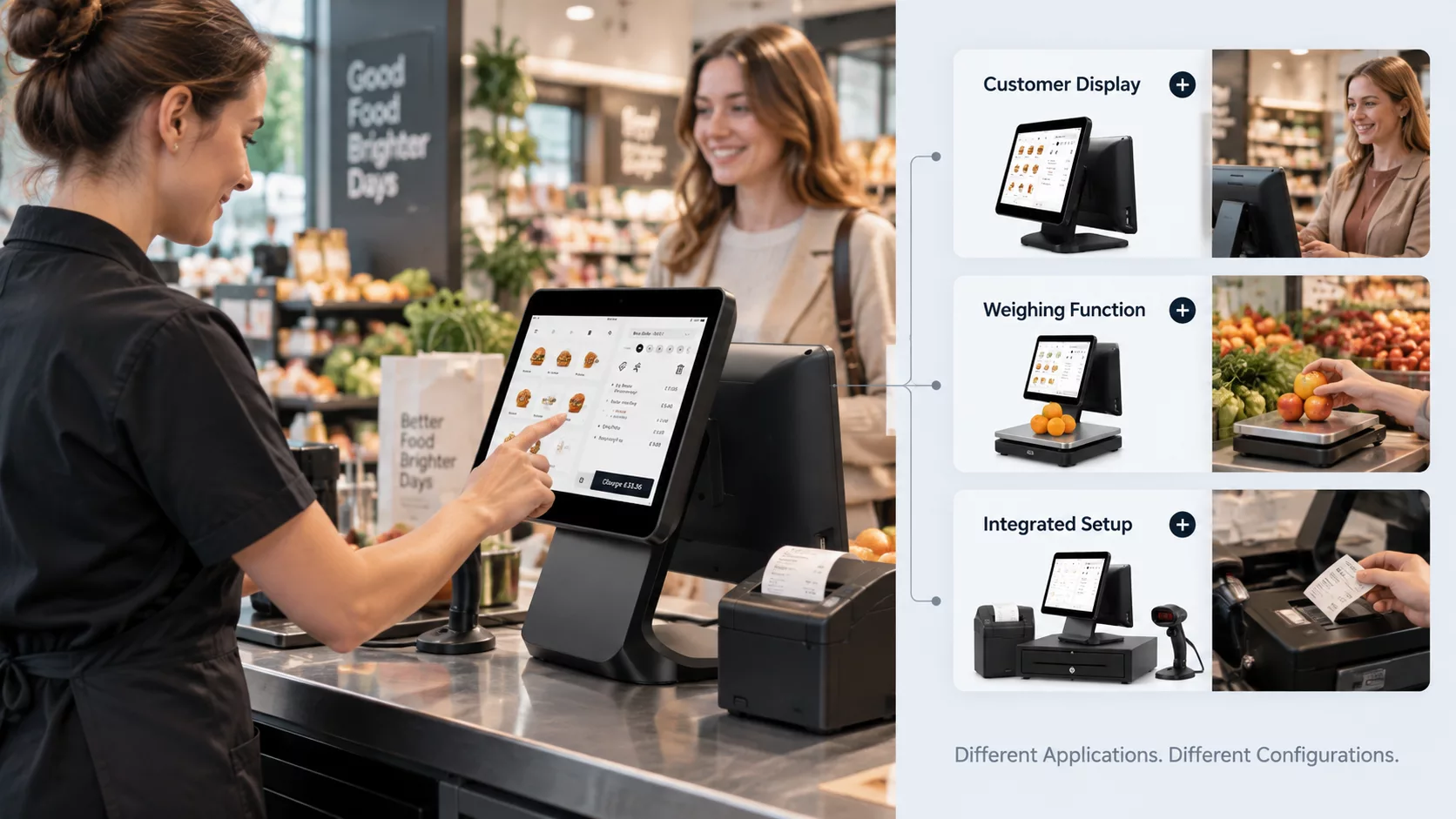
A conventional retail checkout may require a dual-screen terminal with a customer-facing display. A supermarket or weighing application may require integrated weighing hardware. A deployment where receipt printing and cash handling need to be physically integrated may benefit from an all-in-one design instead of several external devices.
This is where the differences between Hopestar's POS models become relevant to procurement.
The 15.6-Inch Dual Screen Android POS System, for instance, combines a 15.6-inch main display with a 14-inch customer display and an integrated 58mm printer. Its platform also incorporates a weighing function, with 15kg or 30kg capacity and 2g or 5g accuracy depending on the configuration.
That makes it a different starting point from a general-purpose dual-screen POS. A buyer serving grocery or weighing-related retail applications may need this type of integrated architecture rather than adding a weighing platform later.
The 15.6" Touch Screen Keyboard All-In-One POS System takes another approach. Its configuration can include the machine, keyboard, cash drawer, display, printer, and customer display, with a dual-screen option.
This matters when evaluating a POS bundle cash drawer printer scanner requirement. A bundle does not necessarily mean that every buyer receives the same physical combination of equipment. The appropriate architecture depends on the application, the required peripherals, and how much integration the project needs.
When a Standard POS Product Is Not Enough
Standard products are useful when project requirements already match an existing configuration. They become less useful when the buyer has an established brand, software environment, interface requirement, or physical design that does not fit the standard SKU.
This is where OEM POS and ODM POS capabilities become part of the procurement decision rather than an afterthought.
Hopestar can support OEM and ODM requirements including housing or boot-logo branding, customized packaging, pre-installed software or system images, UI configuration, hardware options, and I/O customization on applicable models. The company can also evaluate project-specific configurations before larger-scale deployment.
For example, a distributor launching its own POS brand may not need a completely new terminal from scratch. It may need an existing hardware platform with its own logo, packaging, software image, and interface configuration. An integrator may have a similar requirement but place greater emphasis on I/O or hardware adaptation.
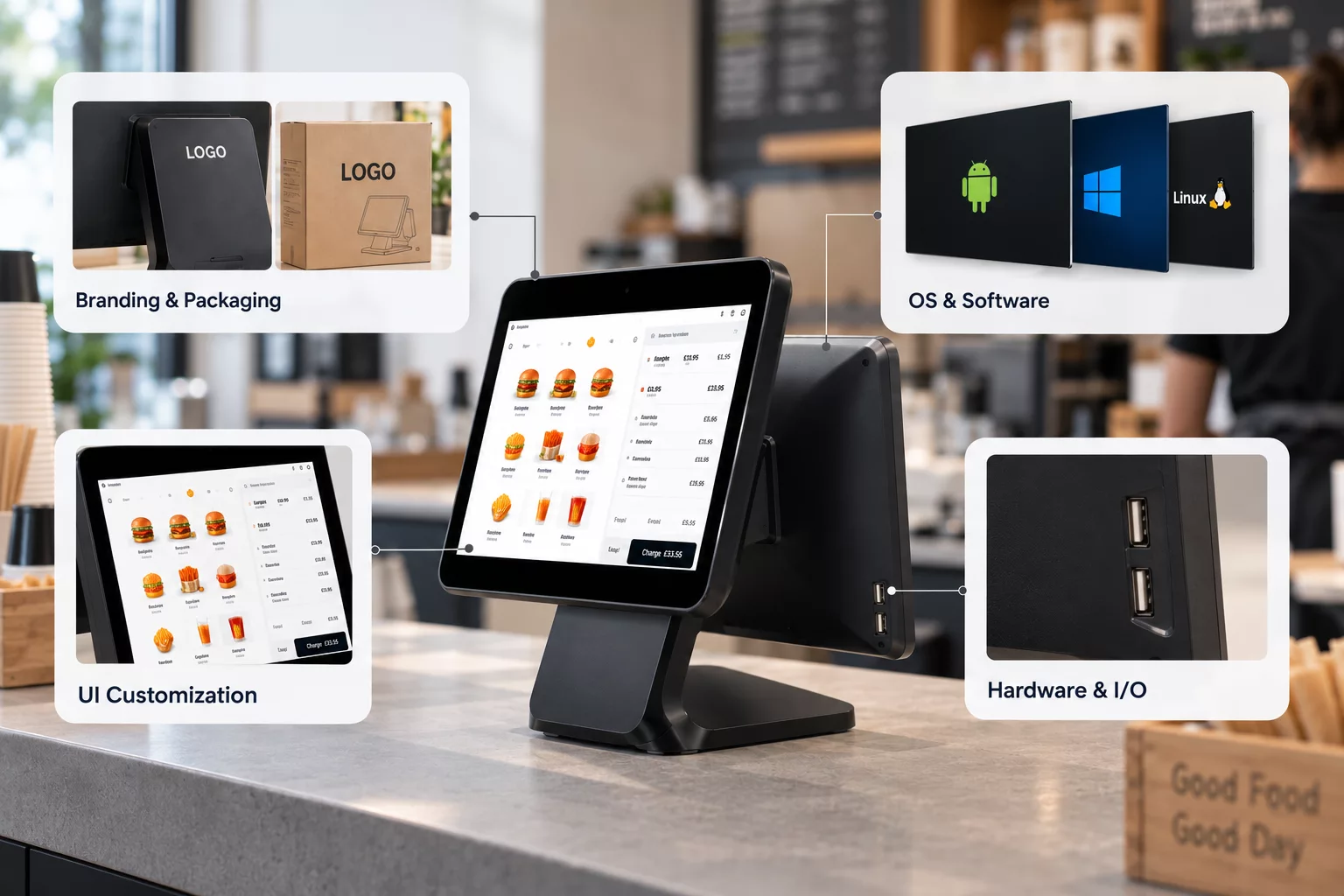
In this model, POS customization happens around an existing hardware platform. That can make the development path different from a project that requires a completely new product.
It also explains why a sample order matters. Before committing to larger production, the buyer can test the proposed configuration and identify changes that need to be made to the hardware, software, UI, or peripherals.
The procurement sequence can therefore move from:
Existing POS Platform → Project Configuration → Sample Testing → Production Scaling
rather than:
Catalog SKU → Immediate Bulk Order
For project procurement, this creates a defined validation stage before the configuration is scaled across multiple locations.
Check Connectivity and Interfaces Before Finalizing the Configuration
4G is another area where procurement language needs to be precise.
Not every POS model should be presented as automatically supporting cellular connectivity. Hopestar supports optional 4G connectivity on applicable models, which means buyers should confirm 4G at the model and configuration level.
This is particularly relevant when evaluating a 4G POS terminal bundle for stores or deployments where cellular connectivity is part of the customer's network architecture. The relevant question is not simply whether “4G POS” appears in a product description, but whether the selected platform supports the required 4G configuration and whether that configuration will remain consistent during production.
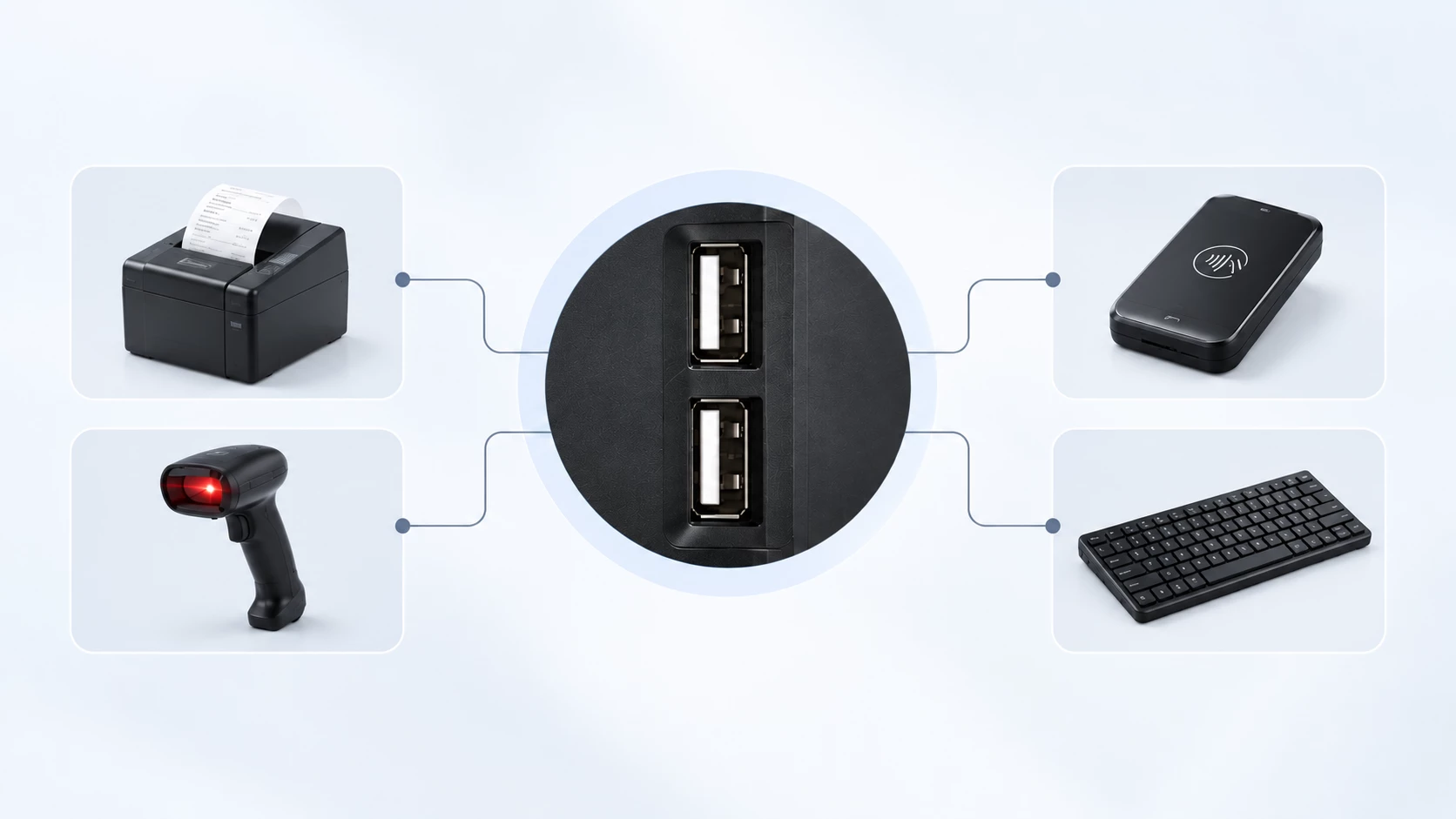
The same principle applies to I/O. A project may require specific ports because the POS terminal needs to communicate with printers, scanners, cash drawers, payment equipment, or existing retail systems. Hopestar supports customized or additional interfaces depending on the applicable model, but these requirements should be confirmed during configuration rather than assumed across the entire product range.
CE Verification Should Follow the Final Configuration
For EU projects, CE compliance is an important part of POS hardware selection. Our POS hardware is available with CE compliance documentation for EU-oriented deployments, giving buyers a basis for evaluating the products for the European market. However, the applicable documentation should still be confirmed for the specific model and final configuration being supplied. This is particularly relevant when the project involves different screen configurations, peripherals, or optional hardware, as the final configuration determines which compliance documentation applies.
From Product Selection to a Production-Ready Configuration
For European buyers, a dual screen POS EU project does not necessarily require a completely new hardware platform. In many cases, the more practical route is to select an existing POS architecture and determine how much of the final configuration should remain standard and how much needs to be adapted.
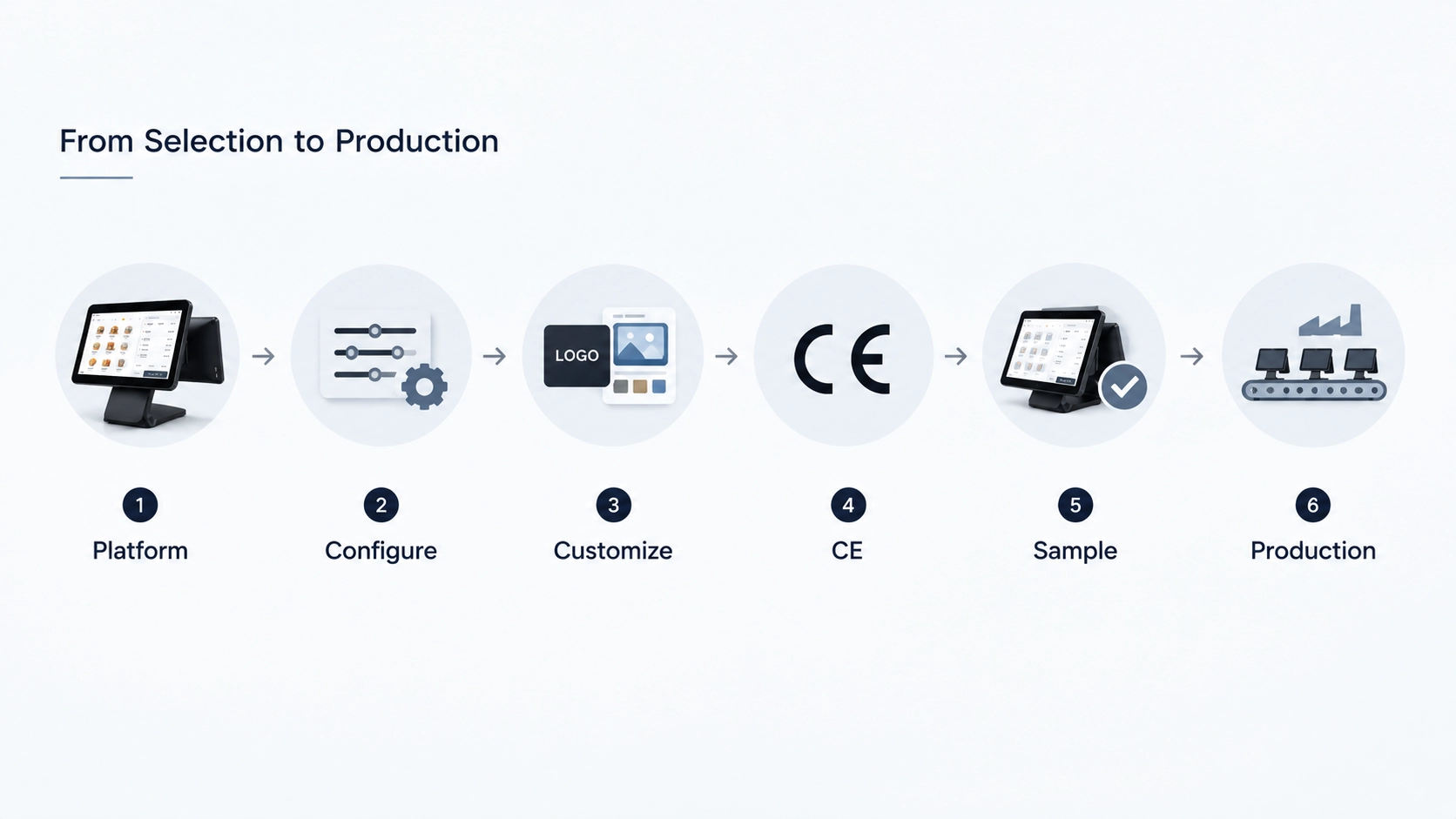
Hopestar's POS portfolio provides several starting points, including dual-screen terminals, integrated printer configurations, keyboard-and-cash-drawer designs, and specialized weighing POS systems. Its OEM/ODM capabilities extend the configuration layer into branding, packaging, software, UI, hardware, I/O, and applicable 4G options.
The result is a procurement path that moves from platform selection to project configuration, sample validation, and production scaling, rather than treating the POS terminal as a fixed catalog item.
If your EU project requires a specific combination of dual displays, peripherals, 4G, software, branding, or customized interfaces, contact Hopestar with your deployment requirements. The project can be reviewed at the configuration stage to determine the appropriate POS platform, customization scope, sample requirements, and production arrangement before moving forward.
 Why the Right POS Terminal Depends on Where and How It Will Be Deployed