 86 13392660243
 hope17@cnhopestar.com
 whatsapp
Replacing an Existing POS System with a Windows POS Terminal: A UK Retail Procurement Guide
 2026-09-23
 cnhopestar
For a UK retail business replacing or expanding an existing checkout system, the operating system can be a hardware requirement rather than a preference.
A retailer may already have Windows-based POS software, inventory applications, accounting tools, or peripherals configured around its current checkout environment. In that situation, moving to Android is not simply a hardware replacement. It can also mean reviewing software compatibility, peripheral drivers, deployment procedures, and staff workflows.
That is why a Windows 10 POS terminal can still make commercial sense for a new procurement project. The relevant question is not whether Windows or Android is generally better. It is whether the new terminal can preserve the software and equipment relationships that the retailer already depends on.
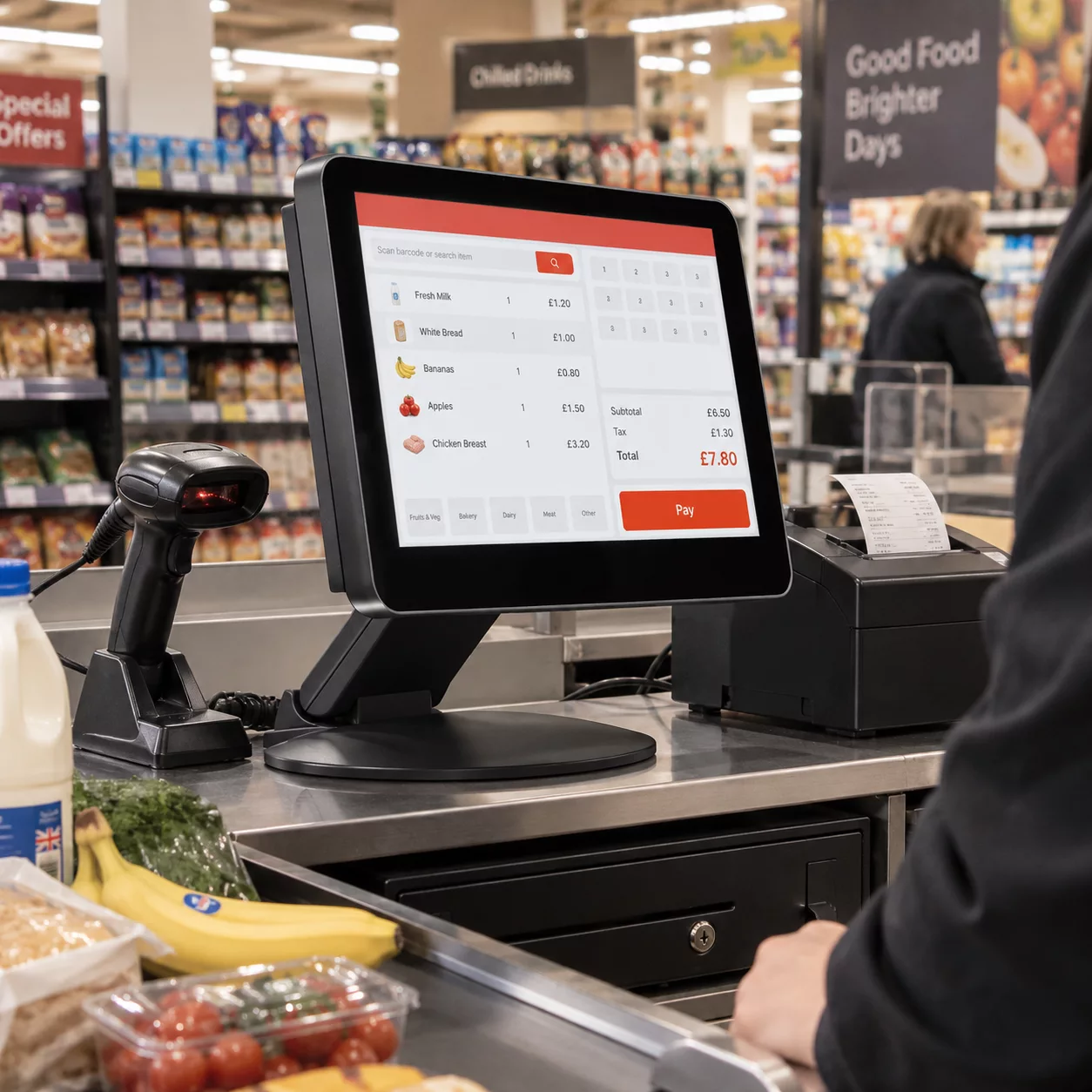
For projects requiring a 15 inch capacitive POS, a commercial Windows POS terminal provides a practical configuration to evaluate: a 15-inch capacitive touchscreen, Windows 10/11 support, and connectivity for common retail peripherals.
Start With the Existing Software Environment
The most overlooked part of a POS replacement project is often the software that is already working.
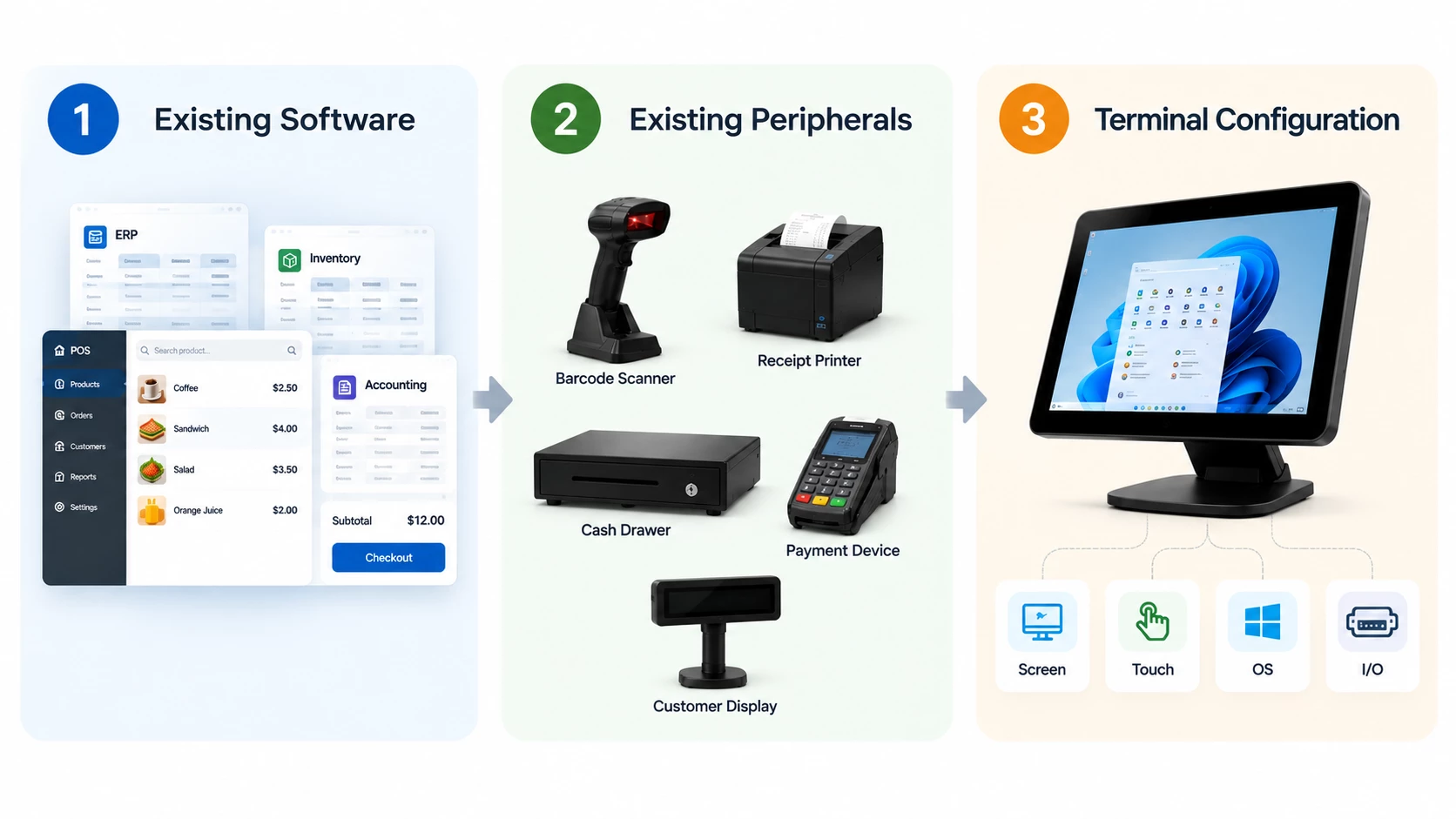
If a retailer has spent years deploying a Windows-based POS application across stores, the cost of changing platforms is not limited to buying new terminals. The integrator may also need to verify application compatibility, drivers, peripheral connections, data workflows and remote administration.
This changes the way a buyer should evaluate Windows POS hardware UK projects. Instead of starting with the question “Which operating system is newer?”, the more useful question is “What part of the existing checkout environment would have to change if we moved away from Windows?”
That distinction matters particularly for POS distributors and system integrators. A terminal that looks attractive on a specification sheet can still create deployment work if the customer's existing software or peripheral architecture was designed around Windows.
Android POS remains a reasonable choice when the software environment is Android-compatible or when a new system is being designed from the beginning. Windows becomes more relevant when compatibility with an established Windows environment has a direct effect on project requirements.
Match the POS Display to the Checkout Workflow
Once Windows compatibility has been established, screen size becomes a workflow decision rather than a standalone specification.
A 15-inch terminal provides a larger working surface than many compact POS devices while keeping the checkout system within a conventional countertop form factor. For retail software with multiple transaction fields, product information or administrative functions on the same screen, that additional display area can influence how the interface is used during a transaction.
For buyers comparing a 15 inch Windows POS, the screen should therefore be considered together with the software interface and physical checkout layout. A 15-inch display may be appropriate for one workflow but unnecessarily large for another.
The same principle applies to touch technology. A 15 inch capacitive POS should be evaluated with the application's buttons, menus and transaction sequence rather than judged only from the hardware specification. Touch accuracy, interface scaling and the way staff interact with the screen can all affect the practical suitability of the terminal.
The specification establishes the hardware baseline; software testing determines whether that baseline works for the intended deployment.
Check Peripheral Compatibility Before Replacing the Terminal
A POS terminal rarely operates by itself. It sits at the center of a network of scanners, printers, cash drawers, payment-related equipment and other peripherals.
That makes I/O configuration more important than a simple port count.
A typical commercial Windows POS configuration may include USB, serial and network interfaces because retail environments do not always use the same generation of peripherals. Newer equipment may connect through USB, while an existing deployment may still depend on RS232. Network connectivity can also be necessary when the terminal communicates with store infrastructure or back-office systems.
For a system integrator, the useful question is therefore not “Does this terminal have USB?” but “Does this configuration match the customer's existing peripheral architecture?”
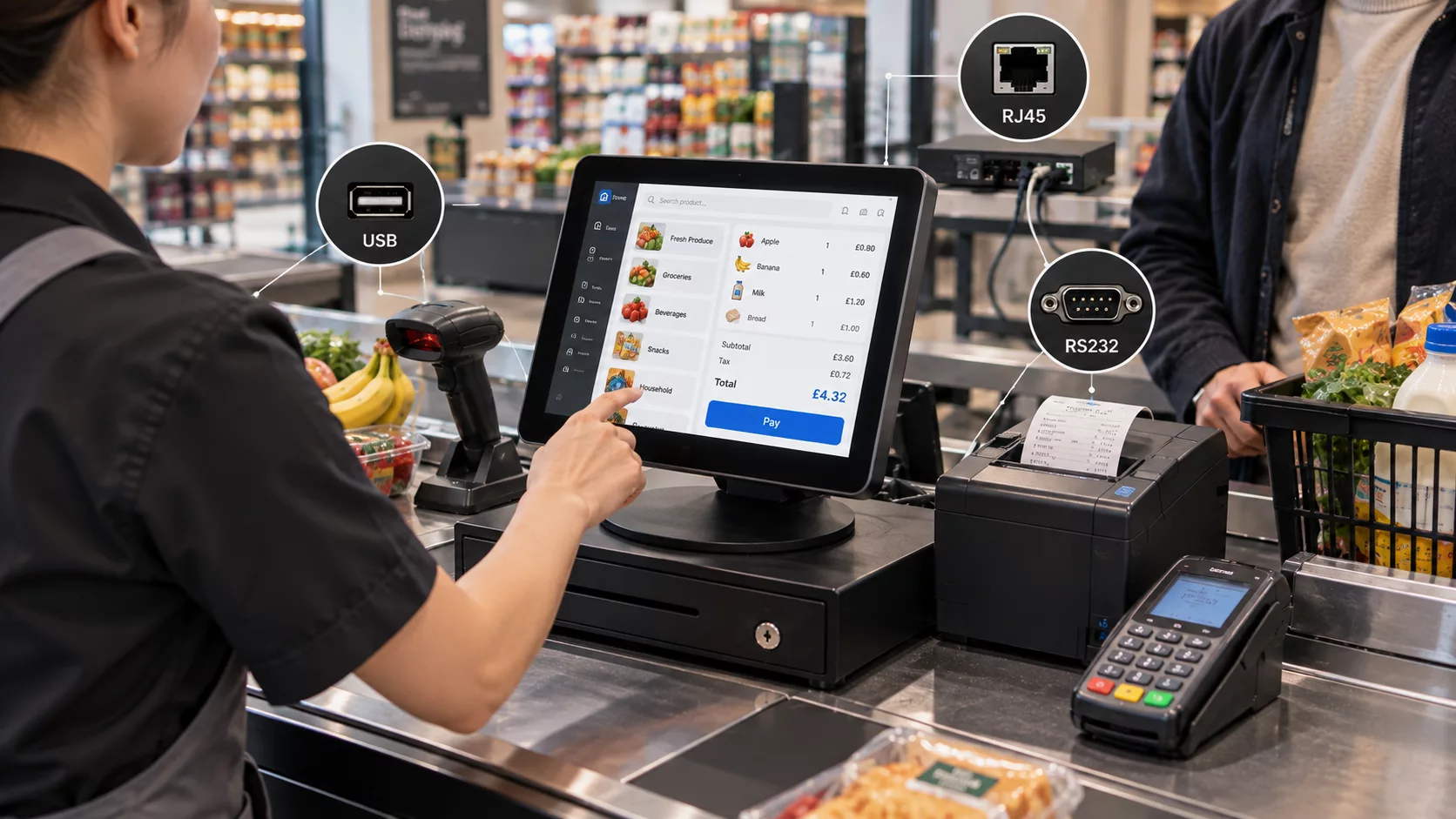
A retailer replacing an older Windows terminal may already have equipment integrated into its checkout process. USB connectivity may cover newer peripherals, while RS232 can remain relevant where serial equipment is part of the existing setup. RJ45 connectivity matters when the POS terminal needs to communicate with the store's network and back-office environment.
This is where Windows POS hardware UK procurement becomes a system-integration decision. A terminal with the correct operating system but the wrong interface configuration can still require additional adapters, peripheral replacement or changes to the deployment design.
Consider Windows Version and Software Compatibility Together
A Windows 10 POS terminal should not be evaluated only by the operating-system name printed in the specification.
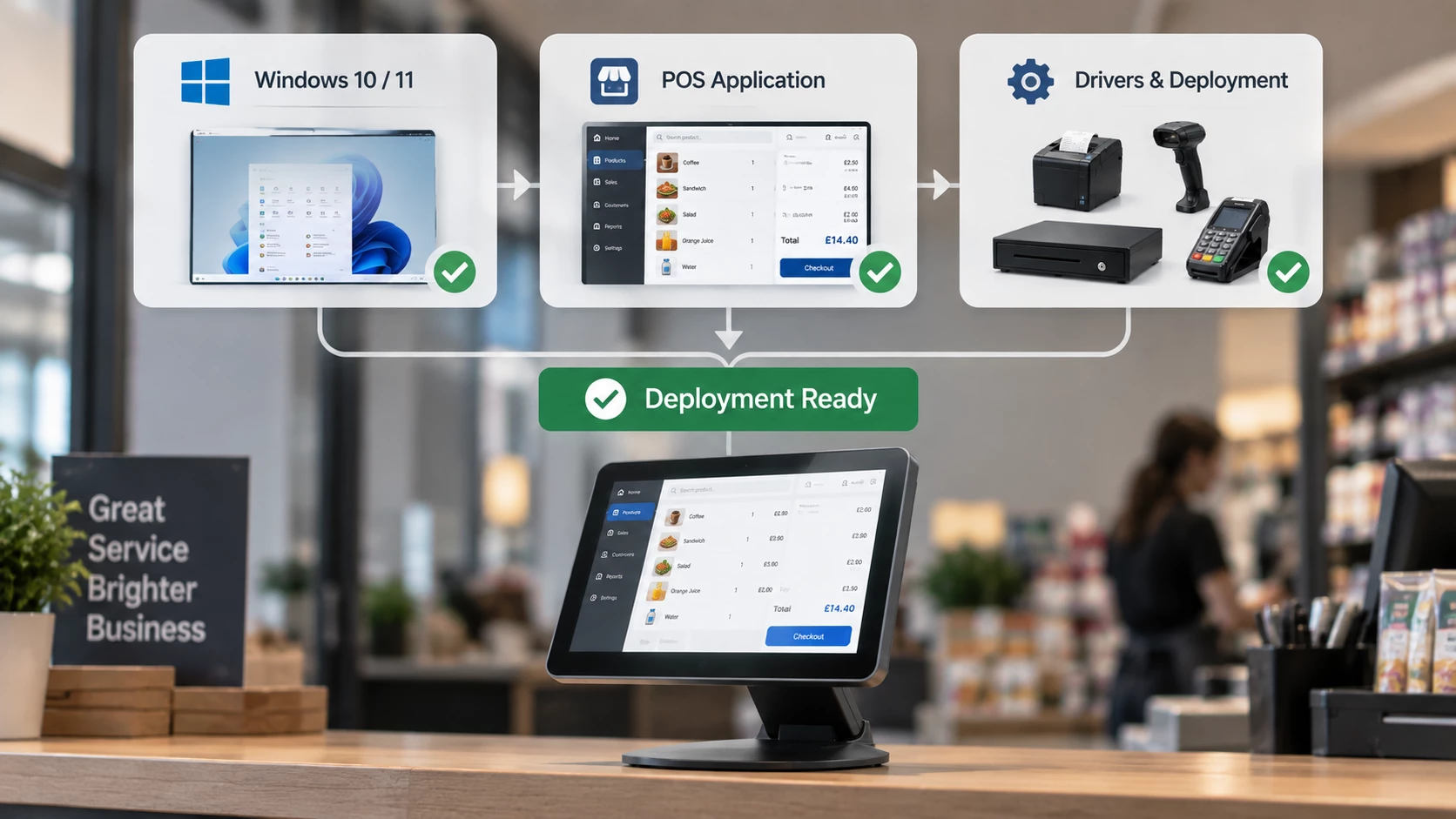
The hardware may support Windows 10 and Windows 11, but the buyer still needs to establish whether the existing POS application supports the selected version, whether required drivers are available, and how the software will be deployed.
There is also a commercial distinction between operating-system support and Windows licensing. A supplier may be able to pre-install software as part of an OEM/ODM configuration, but that does not automatically define the licensing arrangement for every order.
For a UK retail project, the OS discussion should therefore happen alongside software compatibility and deployment requirements rather than after the hardware has already been selected.
This becomes particularly relevant when a retailer is replacing an installed Windows environment. Maintaining the same operating-system family may reduce the amount of software and peripheral validation required, but the assumption should still be tested against the customer's actual application stack.
Evaluate the POS Terminal as Part of the Existing System
A useful way to evaluate a retail POS Windows 10 project is to start with the customer's existing checkout architecture and work outward.
First, identify the software that must continue running. Then map the peripherals connected to the current terminal. Only after those two layers are understood does it make sense to compare screen size, processor configuration and I/O options.
For a 15 inch Windows POS, the evaluation can then focus on whether the display, touch interface, operating system and available interfaces fit the existing workflow.
A sample or prototype evaluation can test whether the customer's POS software operates correctly, whether the required peripherals can connect without changing the existing workflow, and whether the 15-inch touch interface is suitable for the checkout environment.
Only after that validation should a project move toward a production configuration.
Validate the Configuration Before Moving to Volume Procurement
For UK retail buyers, the case for a Windows POS terminal is strongest when the existing software and peripheral environment already creates a Windows dependency.
In that situation, the value of the hardware is not simply its 15-inch screen or its list of interfaces. The more important question is whether the terminal allows the buyer to introduce new hardware without redesigning the software and checkout environment around it.
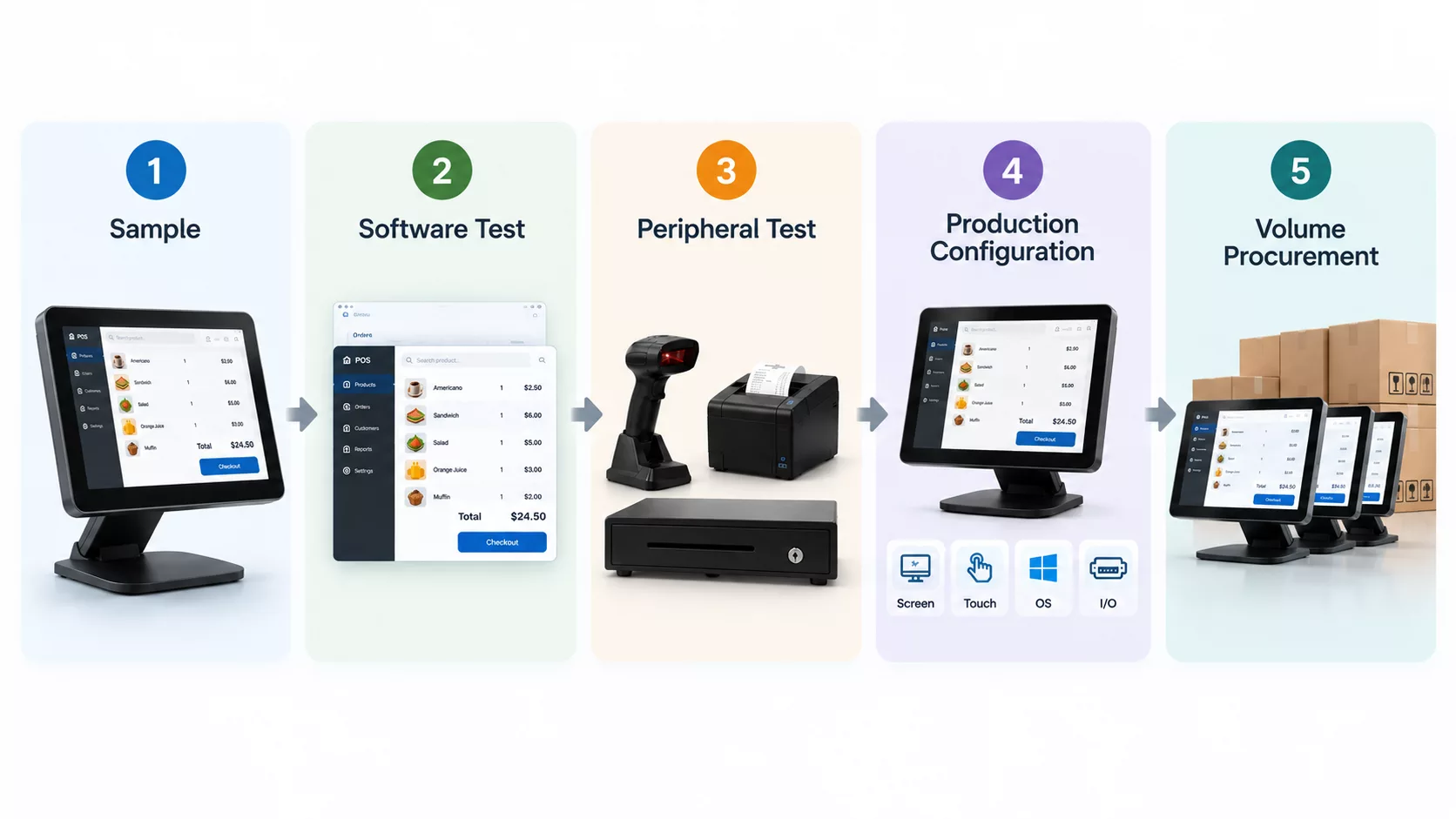
For a buyer evaluating a retail POS Windows 10 deployment, this means treating the terminal as part of an existing system rather than as an isolated hardware purchase. Software compatibility, touch interaction, peripheral connectivity and OS licensing all need to fit together before volume procurement begins.
For projects where a customer-facing display is also part of the checkout requirement, a dual screen Windows POS can be evaluated as a different configuration rather than being treated as the same product category.
If you are evaluating a Windows POS replacement or new deployment for the UK market, share your existing software and hardware requirements with our team to discuss a suitable POS configuration.
 Dual-Screen POS for European Projects: From Product Selection to Project Configuration