 86 13392660243
 hope17@cnhopestar.com
 whatsapp
A Complete Guide to Monitor Panels, Refresh Rates, Sync Technologies, Curved Screens, and Interfaces
 2023-11-01
 Hopestar
1. Panel type
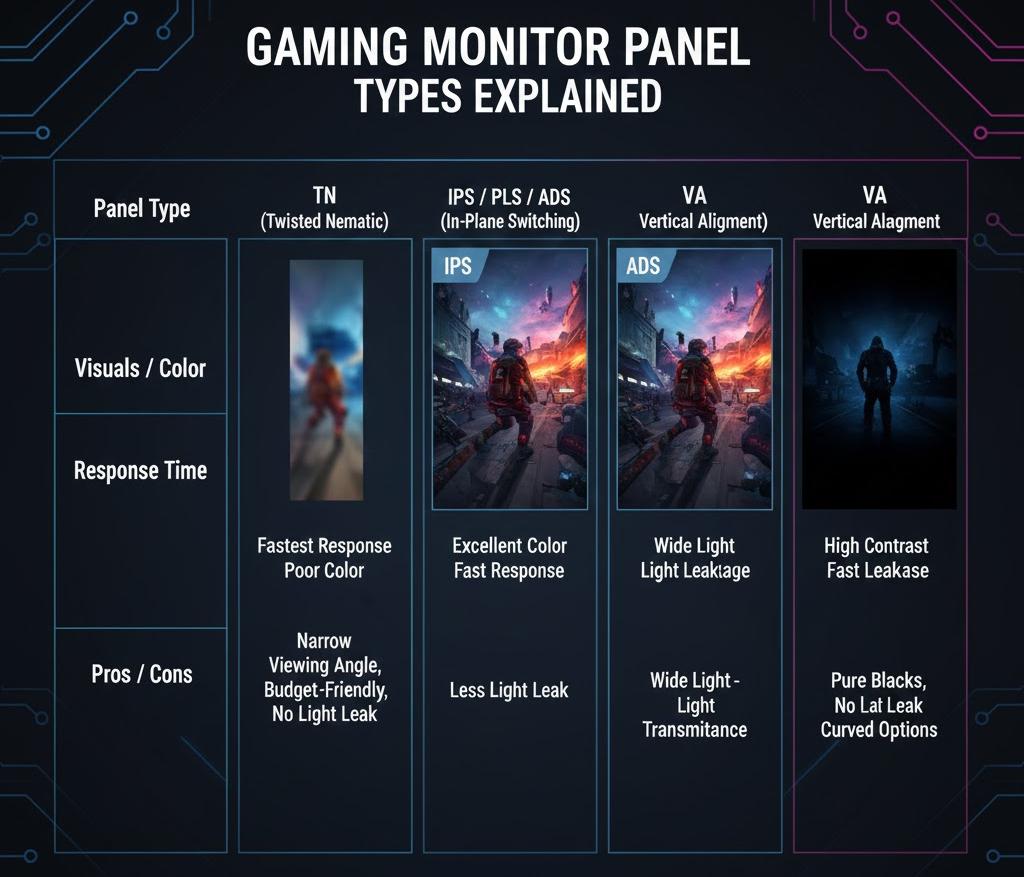
The display panel type refers to the underlying technology used in the screen, such as TN, IPS, VA, ADS, and PLS. Each panel has its own strengths and visual characteristics. In terms of image quality, ADS, IPS, and PLS panels deliver similar and consistently strong performance, offering wide viewing angles and accurate colors. VA panels generally provide better contrast but slower response times, while TN panels have the fastest response speed but offer lower color accuracy and narrower viewing angles. Overall, TN panels deliver the weakest visual experience compared with VA and other advanced panel types.
From a response-time perspective, VA panels are generally the slowest, while IPS and PLS panels offer faster performance than VA but still lag behind TN and ADS. TN panels provide the quickest response times, making them popular for fast-paced gaming, though their viewing angles are narrower and overall image quality is lower. IPS panels can experience some backlight bleeding, whereas PLS panels usually have slightly better control with reduced light leakage. VA panels feature the least light leakage, delivering deeper blacks and higher contrast, while ADS panels offer excellent light transmittance, contributing to brighter and more vivid images.
.
2. Screen stabilization technology
In most cases, the refresh rate of a monitor does not perfectly match the frame output of the graphics card. When these two are out of sync, issues such as screen delay, stuttering, or even overlapping frames may occur. This mismatch does not create “smearing” but instead causes screen tearing, where part of the image appears out of alignment with the rest. To address this problem, AMD and NVIDIA introduced adaptive-sync technologies—AMD FreeSync and NVIDIA G-SYNC. These technologies function similarly to in-game vertical sync by coordinating the monitor’s refresh rate with the GPU’s output, ensuring each frame is displayed completely and at the right moment. FreeSync is open and free to implement, while G-SYNC requires a dedicated hardware module inside the monitor, making G-SYNC models more costly.
3. Refresh rate
The refresh rate refers to how many times the monitor updates its image per second. Movies and games are essentially composed of rapidly changing still frames, and due to the human eye’s visual persistence, these frames blend into what appears to be smooth motion. If an action is shown in only 20 frames, the motion may feel choppy, but increasing it to 30 frames or more makes movement look more natural.
Following this principle, a higher refresh rate results in smoother, more fluid visuals, reducing flicker and jitter. This not only helps prevent eye fatigue during extended use but also minimizes smearing, motion blur, and input delay during fast-paced gameplay.
Traditional LCD monitors typically operated at 60Hz, but many modern gaming monitors now support 144Hz or higher, offering a significantly improved gaming experience with more responsive and lifelike motion.
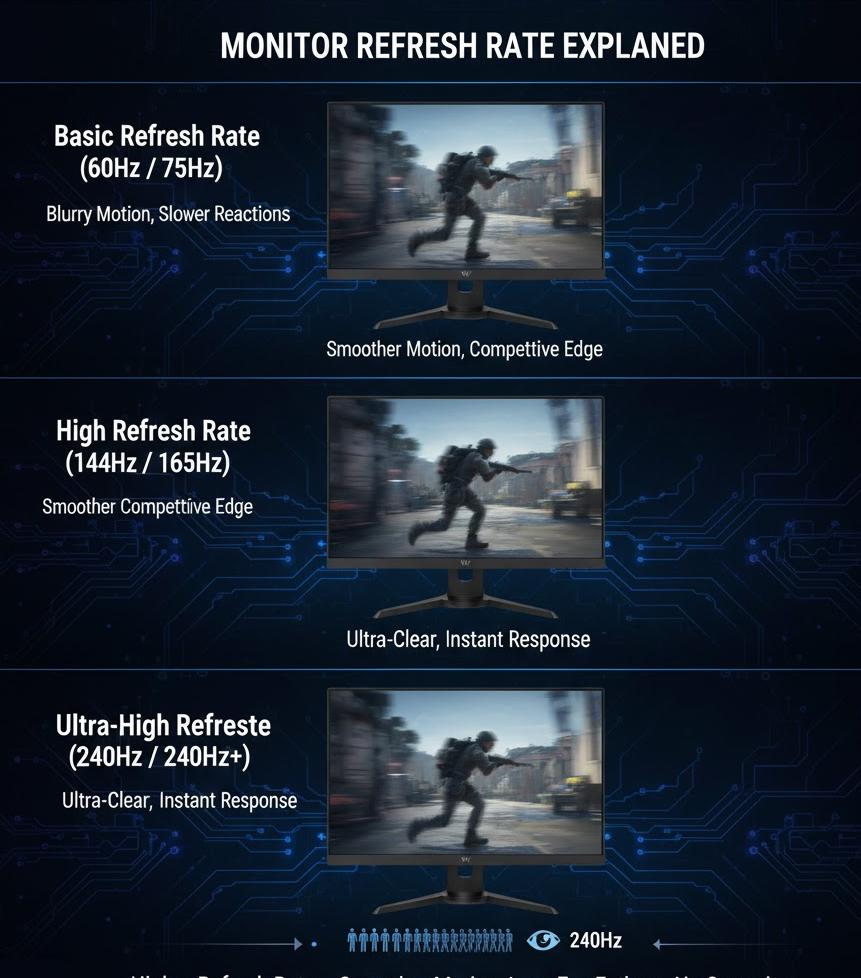
A display with a high refresh rate will prevent the game screen from delaying, jumping and other bad picture phenomena during high-speed motion. Nowadays, high refresh rate is the main parameter of e-sports monitors. The current mainstream is 144Hz. FPS gamers can consider monitors with high refresh rate.
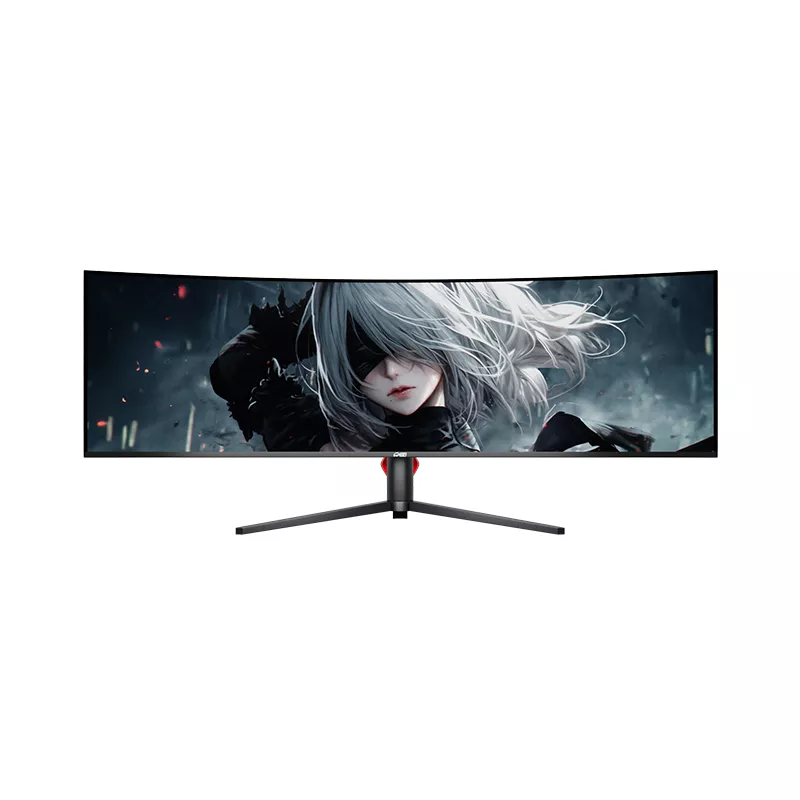
The main purpose of a curved display is to enhance visual immersion. In today’s market, curved monitors typically come in four common curvatures: 1500R, 1800R, 3000R, and 4000R. These numbers indicate the radius of the circle that the curvature is based on—for example, 1500R represents the curvature of a 1.5-meter radius circle, while 1800R corresponds to a 1.8-meter radius.Among these options, 1800R has become the mainstream choice. It delivers a noticeable curve while remaining close to the natural viewing angle of the human eye, making it more comfortable for long-term use. Its shape aligns better with the human retina’s curvature, allowing users to enjoy a more immersive experience when gaming or watching videos.Whether a curved screen is suitable for you still depends on your usage scenario. For entertainment-focused tasks such as gaming, movies, or general multimedia, a curved monitor can enhance engagement and reduce visual fatigue. However, for precision-oriented work—such as graphic design, 3D modeling, or layout-sensitive tasks—a flat display is generally preferred to ensure visual accuracy.
5. Interface
The display interface of the monitor, there are many display interfaces of the monitor. At present, there are mainly 4 types of common display interfaces of computer monitors, namely DVI, HDMI, VGA, and DP interfaces. Display video line ranking: DP>HDMI>DVI>VGA, among which DP level is the highest, and VGA is an analog signal, which is the lowest level, which is common in old computers and has been eliminated by the mainstream. At present, DVI, HDMI, DP is a digital signal and is currently the mainstream interface. If your monitor has a high refresh rate of 144Hz, HDMI or lower-level cables cannot meet the requirements, and a DP1.4 version cable must be used, otherwise the high refresh rate setting of 144Hz cannot be achieved.
 Understanding Monitor Specs: A Complete Guide to Resolution, Panels, Refresh Rates and Color Performance