 86 13392660243
 hope17@cnhopestar.com
 whatsapp
Understanding Monitor Specs: A Complete Guide to Resolution, Panels, Refresh Rates and Color Performance
 2023-11-01
 Hopestar
1. Resolution
Resolution is also known as resolution and resolution. The liquid crystal display screen of a monitor is composed of individual pixels. Resolution is a representation of the number of vertical and horizontal pixels on the screen. For example, the resolution of your monitor is 1920×1080 , that is to say, this monitor has a total of 1920 pixels horizontally and a total of 1080 pixels vertically. The more pixels on the display screen, the more objects can be displayed at the same level of detail, or the same display object can be displayed more delicately, and under the same size display, the higher the resolution, the more accurate the display object can be. exquisite. The current mainstream display resolution is 1920×1080 (1080P), of course, 2560×1440 (2K), 3840×2160 (4K) can also be considered.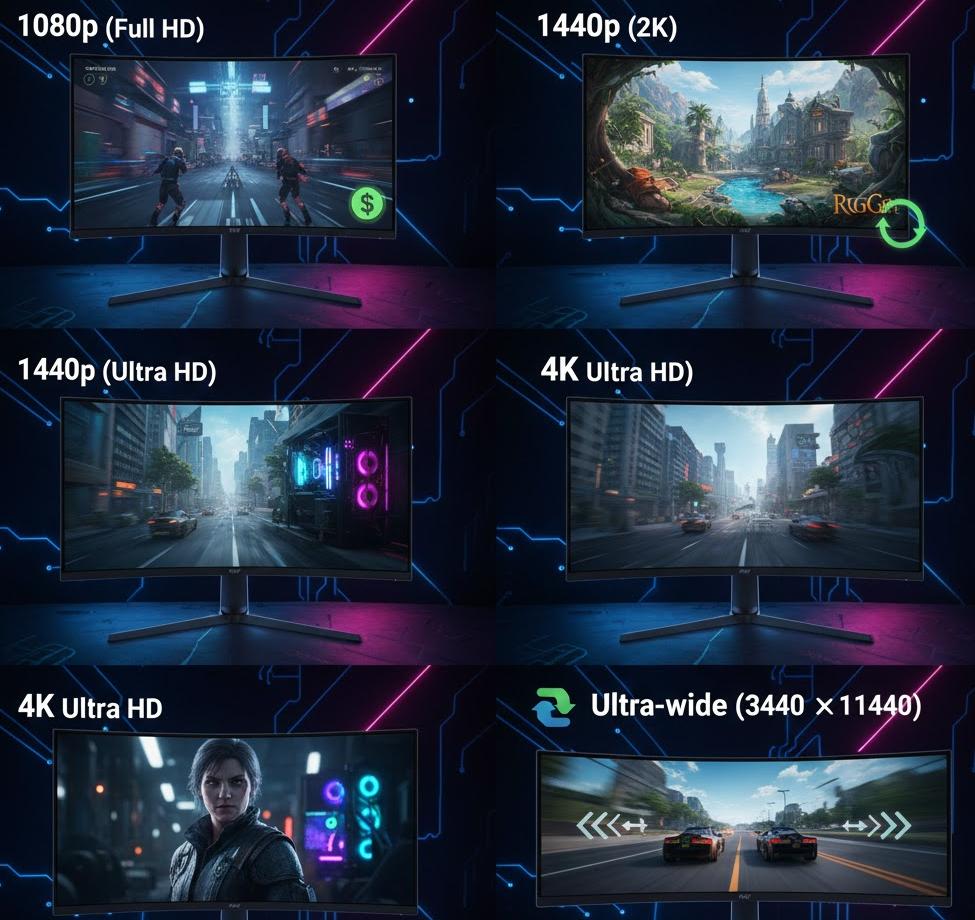
2. Size
The size of the display is actually the diagonal length of its display part, in inches (1 inch = 2.54cm). In the case of the same aspect ratio, the actual area is in a square ratio to the diagonal length. For monitors with different aspect ratios, such as 16:9 and ultra-wide 21:9 monitors, the size comparison does not directly reflect the size of the two screens. You only need to know that under the same “size”, the closer the screen is to a square, the actual display area will be larger. Just bigger.
In terms of display size, the mainstream size of desktop computer monitors is generally above 19 inches, and now the mainstream is 21.5, 22 inches, 23 inches, 23.6 inches, 27 inches or larger. Generally, 27 inches or more are recommended for 2K or 4K resolution.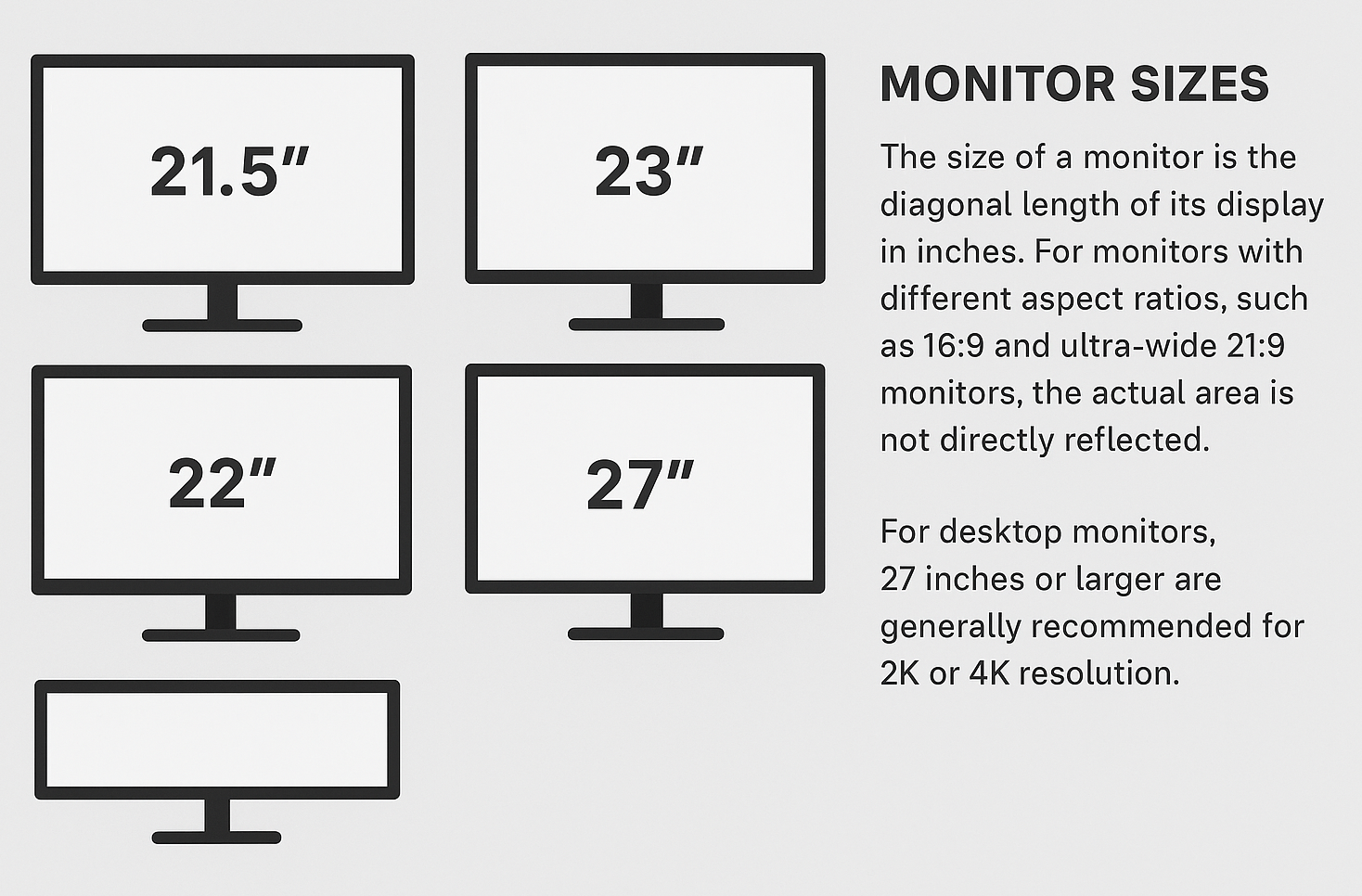
3. Response time
Today’s monitors typically use grayscale response time as their standard measurement. Response time, expressed in milliseconds (ms), refers to how quickly a pixel can transition between shades—specifically from dark to bright (rise time) and from bright to dark (fall time). The commonly advertised value represents the total of these two transitions.A shorter response time means pixels refresh more quickly, reducing motion blur and helping fast-moving scenes appear sharper and cleaner. This is especially important for esports players, such as those who play FPS games, where clarity during rapid motion can affect reaction speed and overall performance. A faster response time minimizes trailing or ghosting, resulting in smoother and more accurate visuals.Mainstream gaming monitors typically offer response times between 1ms and 5ms, and as a general rule, the lower the grayscale response time, the better the motion performance.
4. Contrast
Higher contrast enhances depth and clarity by making the difference between light and dark areas more distinct. This helps users see details more easily, especially in darker scenes. In general, a contrast ratio of around 200 already delivers a good visual experience. However, some manufacturers artificially inflate contrast by simply boosting brightness—an approach that does not improve real-world image quality and may even shorten the display’s lifespan.Some brands also promote extremely high dynamic contrast ratios, but the actual improvement in daily use is minimal. For optimal viewing comfort during work, it’s recommended to set your monitor’s contrast between 60–80 and brightness between 40–60. When gaming, increasing both brightness and contrast to 80–100 provides a clearer, more engaging visual effect, especially in fast-paced or dark environments.
5. HDR
A newer standard in today’s display market is HDR (High Dynamic Range), which significantly enhances contrast, expands color gamut, and delivers a more visually striking image. HDR works by dynamically adjusting brightness and color accuracy based on the content being displayed. For example, in a dark movie or game scene, a regular monitor may render most areas as flat black, while an HDR-enabled display can reveal subtle details—often described as “bright blacks.”To achieve true HDR performance, the monitor must include specific hardware capabilities such as higher peak brightness, improved backlight control, and wider color coverage. These requirements naturally affect manufacturing costs, so HDR-supported monitors are typically priced higher, but they offer a notably richer and more immersive viewing experience.
6. Brightness
The brightness of a monitor is measured in cd/㎡, and for most daily office or home use, a brightness level of around 250 cd/㎡ is sufficient. While higher brightness can make dark scenes appear clearer, it also makes bright scenes overly harsh, increasing eye strain—especially during long viewing periods. For comfortable and healthy use, an LCD monitor’s brightness is generally best kept between 40 and 80. As a rule of thumb, the higher the monitor’s resolution, the lower the brightness setting can be, helping maintain visual comfort without sacrificing image clarity.
7. Color (color depth)
Each pixel on a monitor is made up of three sub-pixels representing the RGB primary colors—red, green, and blue. By adjusting the brightness of these three elements, the display can render a wide range of colors. The number of colors a monitor can produce is expressed in bits, which refers to the number of brightness levels each sub-pixel can display. For example, an 8-bit panel provides 2⁸ brightness levels—256 levels per color channel. When combined across RGB, a single pixel can produce 256 × 256 × 256 = 16,777,216 colors, essentially reaching the color perception limit of the average human eye.This is why 8-bit panels are considered the standard for most high-quality monitors, offering smooth color gradients and accurate image reproduction.
8. Color gamut
In simple terms, a monitor’s color gamut refers to the range of colors it is capable of displaying. This capability depends largely on the precision of the display’s control chip and the performance of its RGB sub-pixels. A wide color gamut monitor can reproduce a broader and more accurate spectrum of colors, delivering richer, more vivid, and more lifelike images.Common color-gamut standards include sRGB, Adobe RGB, and Apple’s proprietary AppleRGB. For most everyday users, sRGB is more than sufficient and is widely supported across mainstream monitors, software, and operating systems. In contrast, Adobe RGB and AppleRGB cover a significantly larger color range and are mainly used in professional-grade monitors designed for fields such as graphic design, photography, video editing, and digital art.
 Complete Guide to Choosing a Computer Monitor