
 86 13392660243
 hope17@cnhopestar.com
 whatsapp
Commercial Android Tablet OEM Specification Guide: How to Define Verifiable Hardware Requirements
 2026-10-26
 cnhopestar
Selecting hardware for an OEM Android tablet project starts with the application, not the product catalogue. Screen size, Android version, RAM, storage, and I/O interfaces must work together to support the intended software and deployment environment.
For procurement teams, software developers, and system integrators, the practical challenge is turning application requirements into a specification that suppliers can quote consistently and engineering teams can validate. A commercial Android tablet OEM solution should therefore be evaluated against a defined workload, interface requirements, and acceptance criteria.
This guide explains how to make those decisions and convert them into an RFQ that supports meaningful product comparisons.
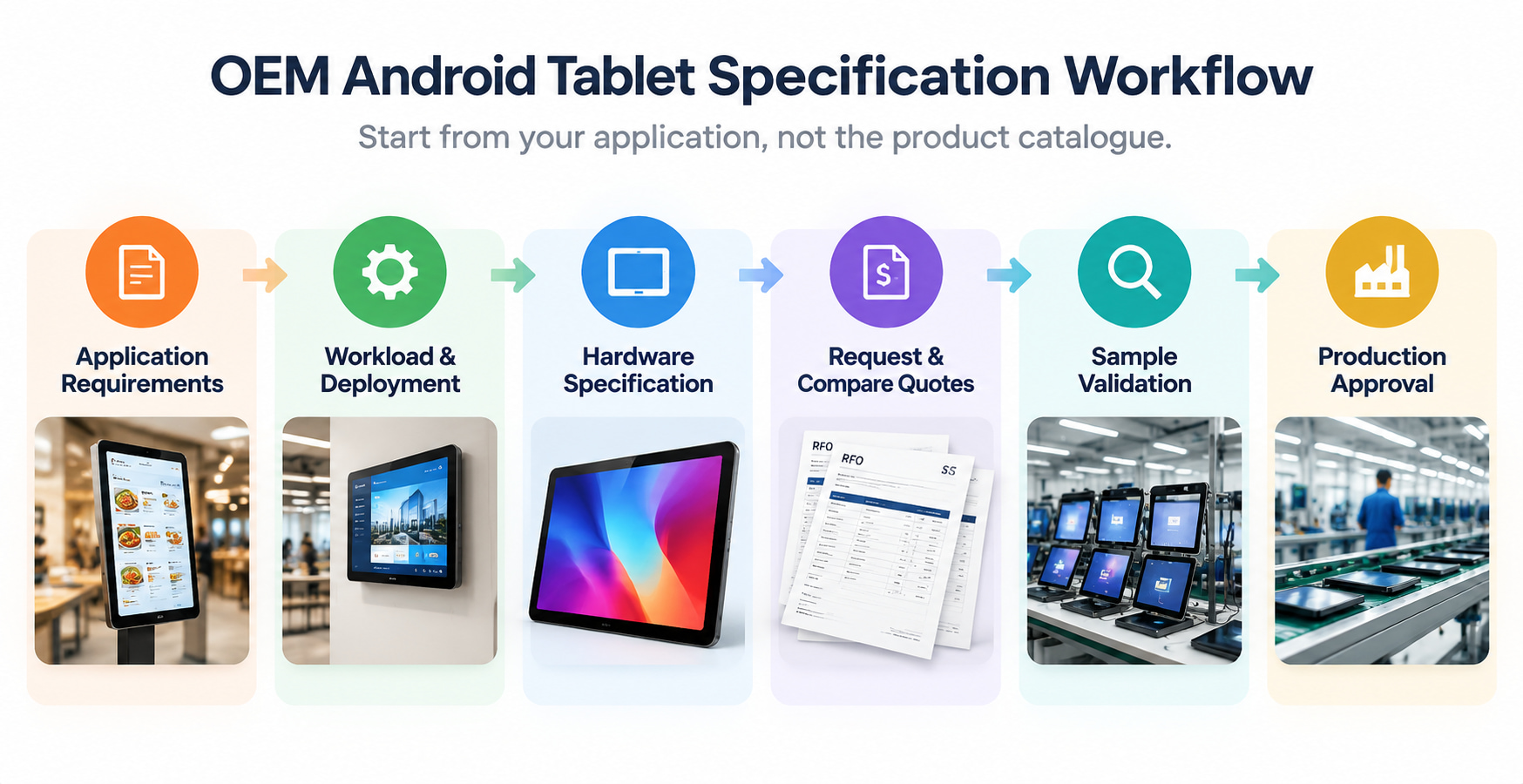
1. Define Application Requirements for a Commercial Android Tablet OEM Project
Start by documenting what the tablet will run, where it will be installed, and how users or connected equipment will interact with it. A single-purpose digital signage application and a business application that runs several processes simultaneously may place different demands on memory, storage, connectivity, and system access.Before requesting quotations, establish five requirements:
- Application workload: List the main applications, concurrent tasks, background services, and expected local data usage.
- Deployment environment: Identify whether the tablet will be wall-mounted, installed in a kiosk, or integrated into commercial equipment.
- Operating system: Specify the required Android version and any application, API, permission, or device-management dependencies.
- Display and interaction: Define screen size, resolution, touch requirements, orientation, and operating schedule.
- Connectivity: Identify the networks, peripherals, and external systems the tablet must connect to.
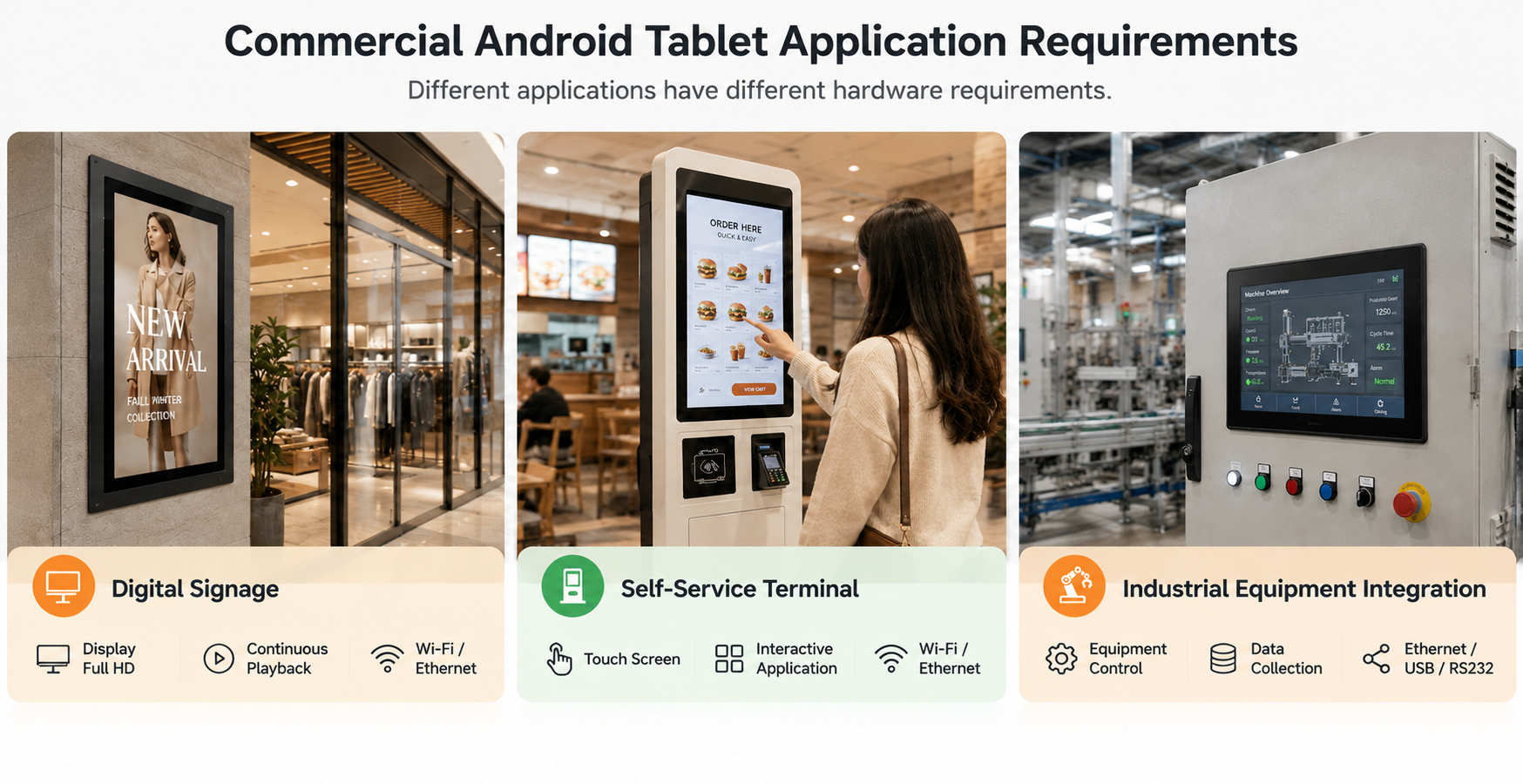
For example, a project requiring a Full HD display can use a 1920×1080 Android tablet as a starting point for evaluation. However, display resolution is only one requirement: the selected device must also meet the application's software, memory, and interface needs.
How to Choose Commercial Android Tablet RAM and Storage Options
RAM and internal storage solve different problems. RAM supports active applications and concurrent processes; internal storage holds the operating system, applications, updates, cached files, and locally stored data.
When comparing commercial Android tablet RAM and storage options, use two separate decision criteria.
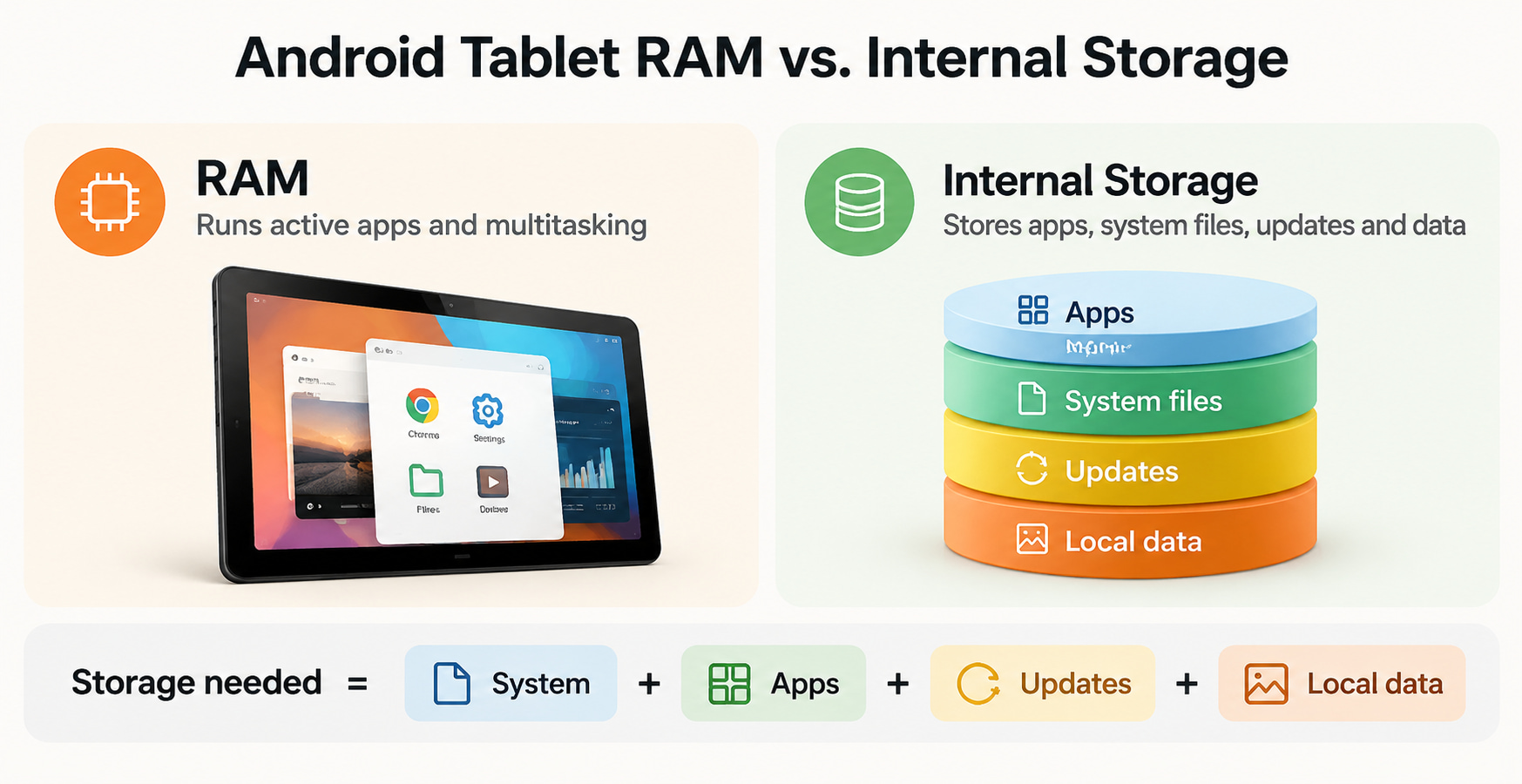
For RAM, assess the workload. List the applications that must run together and identify any memory requirements specified by the software developer. Test the intended application set on the proposed configuration to check for slowdowns, application reloads, or instability under normal operating conditions. A higher RAM figure alone does not prove that a device will perform better for every application.
For storage, estimate the capacity required over the deployment period. A practical planning model is:
Required storage = system and application files + retained local data + update and cache allowance + growth reserve.
Estimate each component using the actual application package sizes, expected data retention, and update requirements. Then compare the total with the usable storage available to the project, rather than treating the advertised capacity as entirely available for user data.
For instance, a 2GB RAM and 16GB storage Android tablet may be a candidate for a lightweight, controlled workload if the application's requirements and usable storage budget fit. It should not be selected for a more demanding workload without validation. The decision depends on the software, background processes, data volume, and available hardware configurations.
Before freezing the specification, ask the supplier to identify the supported RAM/storage combinations for the selected model and Android version. This prevents buyers from comparing configurations that are not actually available on equivalent hardware.
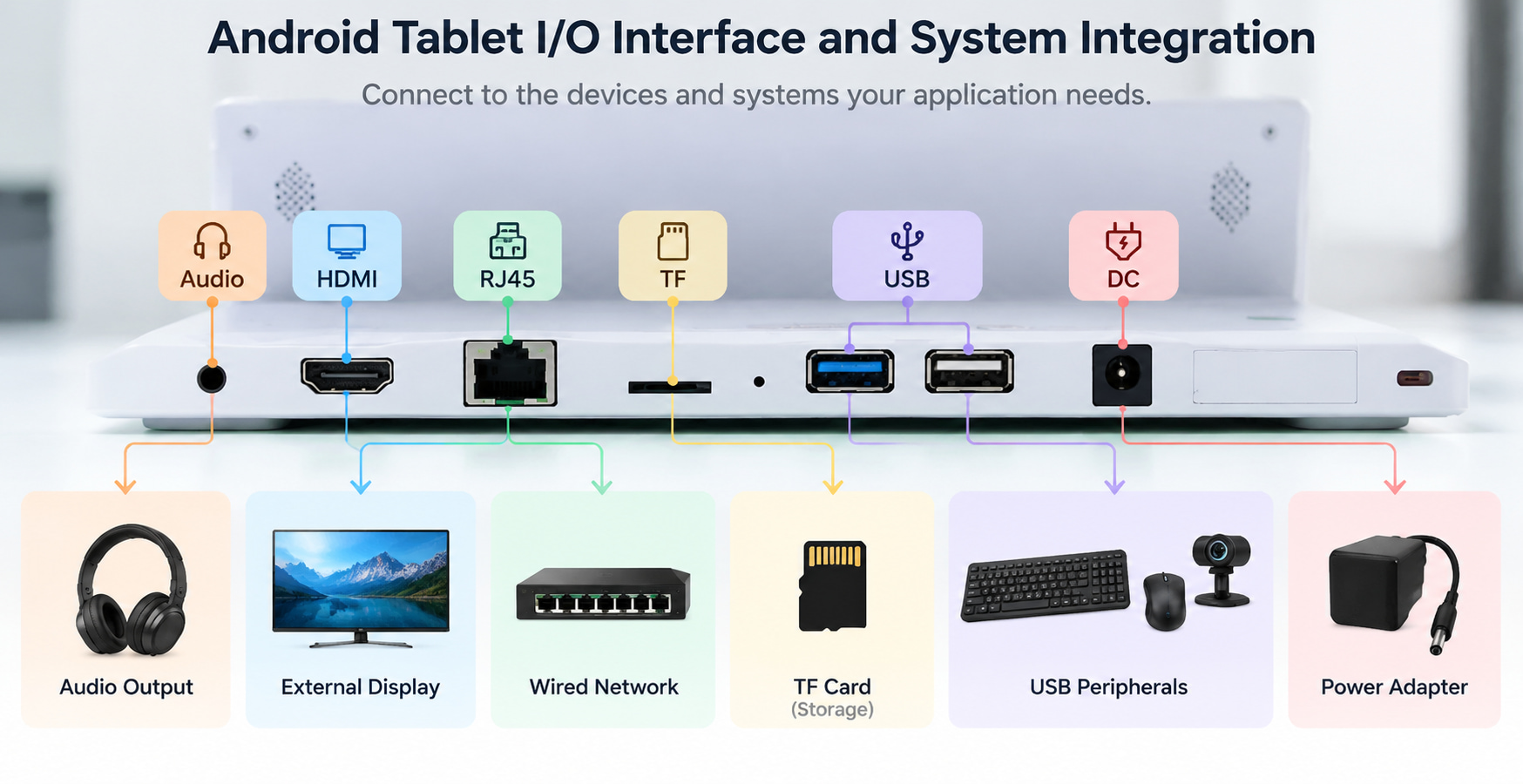
2. Specify HDMI, RJ45, and Other I/O Requirements for OEM Android Tablets
An interface requirement should describe what the tablet needs to connect to and what the connection must do. A port name alone may not specify signal direction, supported standards, or the function available on a particular model.
For example, buyers sourcing an Android tablet with HDMI and RJ45 for OEM application should define whether HDMI is needed to receive a video signal or output video to another display. The same RFQ should state whether Ethernet is required for a wired network, a local system, or a specific deployment setup.
Use this interface checklist to define the requirement before comparing models.
| Interface | Selection question | What to record in the RFQ |
| HDMI | Does the application need video input or output? | Signal direction, source/display, and required resolution or compatibility |
| RJ45 Ethernet | Is a wired network required? | Network purpose, connection requirements, and any integration constraints |
| USB | Which peripherals must connect? | Port quantity, required standard, data function, and power needs |
| USB-C | Is it for data, power, or another function? | Each required function, specified separately |
| SIM / cellular | Does the device need mobile network access? | Target market, carrier or band requirements, and connectivity use case |
| Wi-Fi / Bluetooth | Which networks or peripherals must be supported? | Required standards and compatibility needs |
| Camera / speaker | What functions must the built-in components perform? | Intended use, required capability, and physical constraints |
This table also helps distinguish essential interfaces from optional ones. An interface should be marked must-have if the application cannot operate without it, optional if it supports a future or secondary use case, or to verify if the final requirement depends on the software, peripheral, or deployment environment.
For example, a tablet used as a control terminal may need Ethernet and USB connections for system integration, while a standalone display may prioritize wireless networking and audio. These are application-specific scenarios, not universal rules; the actual peripheral list and system architecture determine the required configuration.
Avoid paying for interfaces that the project does not use, but do not remove a port simply to reduce cost until the engineering team has checked the complete connection diagram. Where several devices communicate with the tablet, document the connections and required functions together so the supplier can assess the proposed hardware against the real integration requirements.
3. Create a Verifiable OEM Android Tablet RFQ for Supplier Quotation
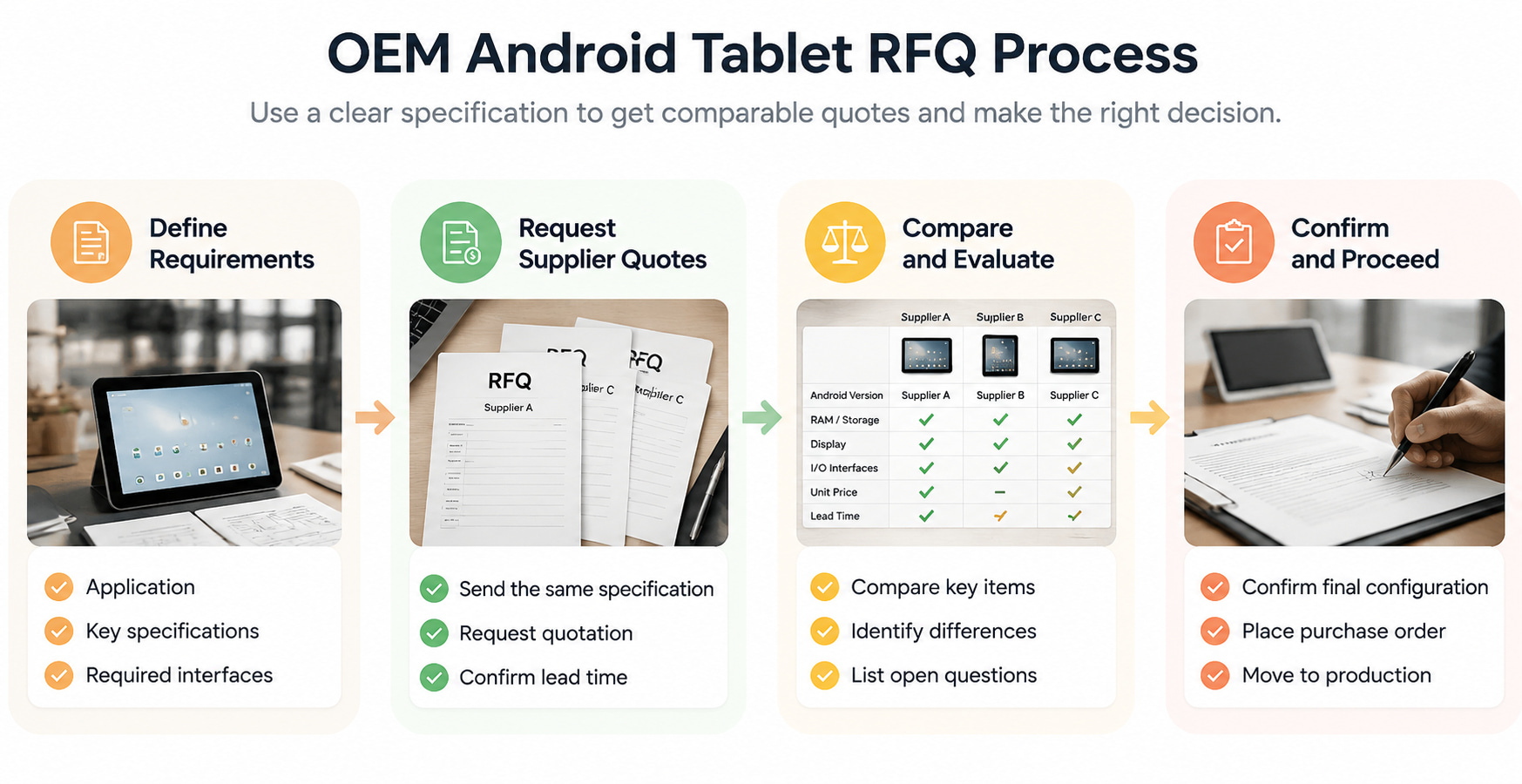
A useful RFQ enables suppliers to quote against the same specification. Instead of asking for a generic custom Android tablet, provide a requirement sheet that distinguishes the intended function, preferred configuration, acceptable alternatives, and outstanding questions.
When evaluating an OEM Android tablet manufacturer, use the following framework to organize the technical and commercial discussion.
| Specification category | Information to provide | Decision or verification method |
| Application | Software, workload, deployment environment | Confirm application and environment requirements |
| Display | Size, resolution, touch, orientation | Compare with the physical installation and UI requirements |
| Android OS | Version, API or system access requirements | Verify application compatibility on the proposed build |
| RAM and storage | Preferred capacity and acceptable alternatives | Check workload requirements and calculate usable storage |
| I/O interfaces | Port type, quantity, direction, and function | Match each requirement to the system connection plan |
| Connectivity | Wi-Fi, Bluetooth, Ethernet, SIM | Confirm network and regional requirements |
| Built-in components | Camera, speaker, microphone | Define required functions and installation constraints |
| Customization | Logo, enclosure, mounting, packaging | Separate standard features from requested modifications |
| Commercial terms | Quantity, sample request, quotation tiers, schedule | Compare equivalent configurations and terms |
| Acceptance criteria | Required tests and records | Define pass/fail conditions before sampling |
Ask each supplier to identify which requirements are supported, unsupported, or still subject to confirmation. The response should reference the proposed model or SKU and state any deviations from the RFQ.
For a meaningful quotation comparison, build a configuration matrix with one column per proposed model. Compare the same variables across each option: Android version, RAM, usable storage, display, interface functions, connectivity, customization, unit price, sample cost, lead time, and any one-time engineering charges.
This avoids a common procurement problem: comparing prices for devices that appear similar but differ in important specifications. If two offers use different RAM/storage configurations or interface functions, record those differences before deciding whether the price gap is justified.
The RFQ should also identify unresolved dependencies. If the software team has not yet confirmed the required Android version, or the engineering team has not finalized the HDMI signal direction, record those as open decisions with an owner and a deadline. Resolve critical dependencies before sample approval so that the selected configuration is based on an agreed requirement set rather than assumptions.
4. Validate the OEM Android Tablet Sample Before Mass Production
The sample stage should test whether the proposed hardware meets the requirements defined in the RFQ. It should not be treated as a general visual inspection or a substitute for application testing.Create a sample acceptance checklist with four groups of tests:
- Hardware conformity: Verify the display, RAM, storage, physical ports, wireless connectivity, and built-in components against the approved specification.
- Application performance: Run the intended applications and representative tasks, including concurrent processes and expected data usage.
- Interface integration: Connect the actual peripherals or systems and test each required function, such as Ethernet communication, USB peripheral operation, or HDMI input/output as specified.
- Software and deployment: Confirm the Android build, application behavior, required permissions, device-management functions, and installation requirements.
Define pass/fail criteria before testing. For example, an interface test should specify the peripheral, expected behavior, and successful result. An application test should identify the tasks to complete and any measurable response-time or stability requirement supplied by the software team. If no benchmark has been established, document the agreed test procedure and observed results rather than claiming a universal performance threshold.
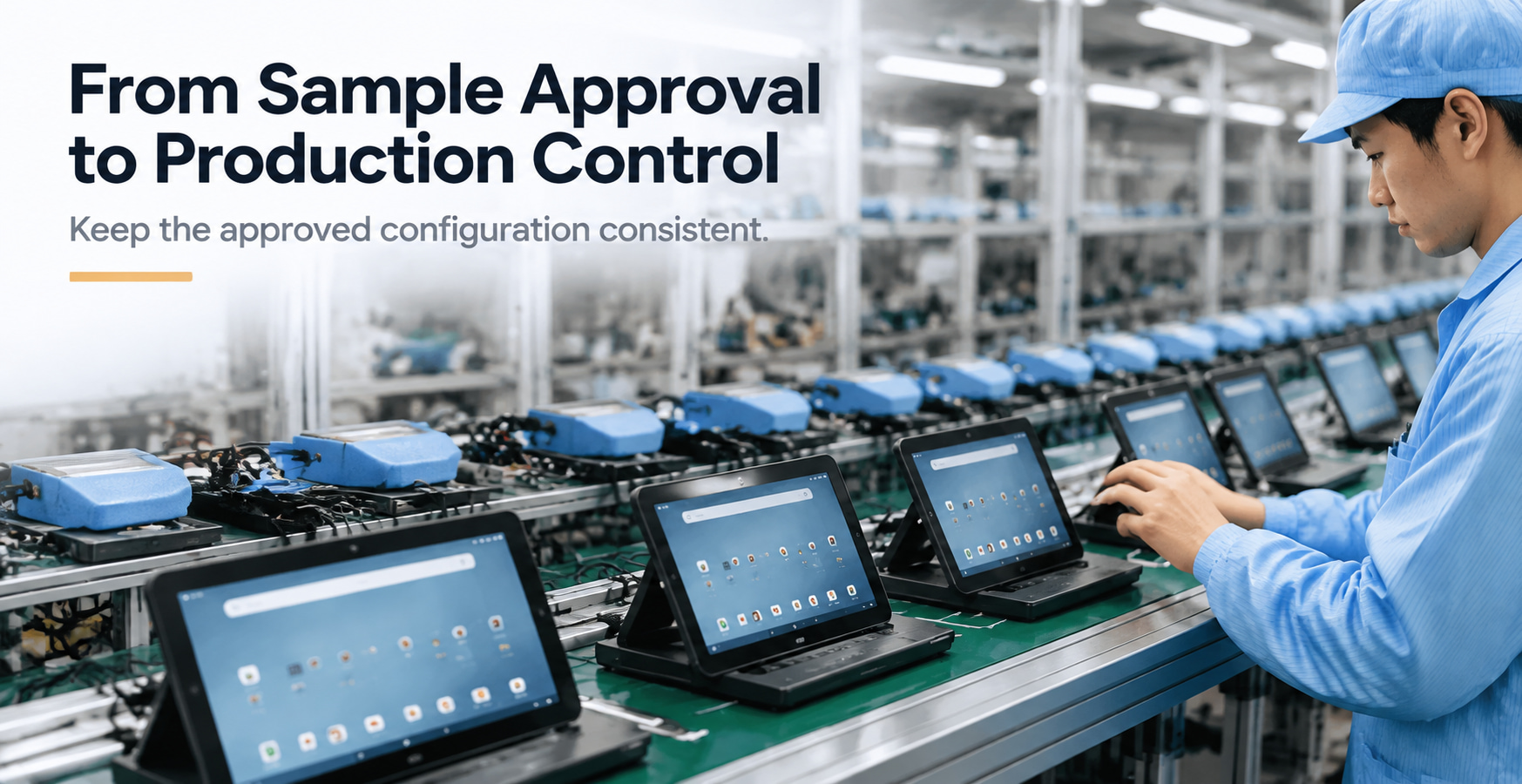
Once the sample passes, freeze the approved configuration in writing. Record the model or SKU, Android version, RAM and storage, display, interface functions, built-in components, customization details, and acceptance results. Use this record as the reference for the purchase order and production inspection.
Any subsequent change to a component, software build, interface, or customization should be documented and assessed against the acceptance checklist. If the change affects a required function, repeat the relevant test before accepting production units.
Share your application requirements, preferred RAM and storage, I/O interfaces, and customization needs with our team. We can help you evaluate suitable configurations and clarify the specifications required for sampling and quotation. Contact Us to discuss your OEM Android tablet project.
 Planning an Android Display for In-Vehicle Advertising: What to Validate Before Fleet Deployment